Music widgets
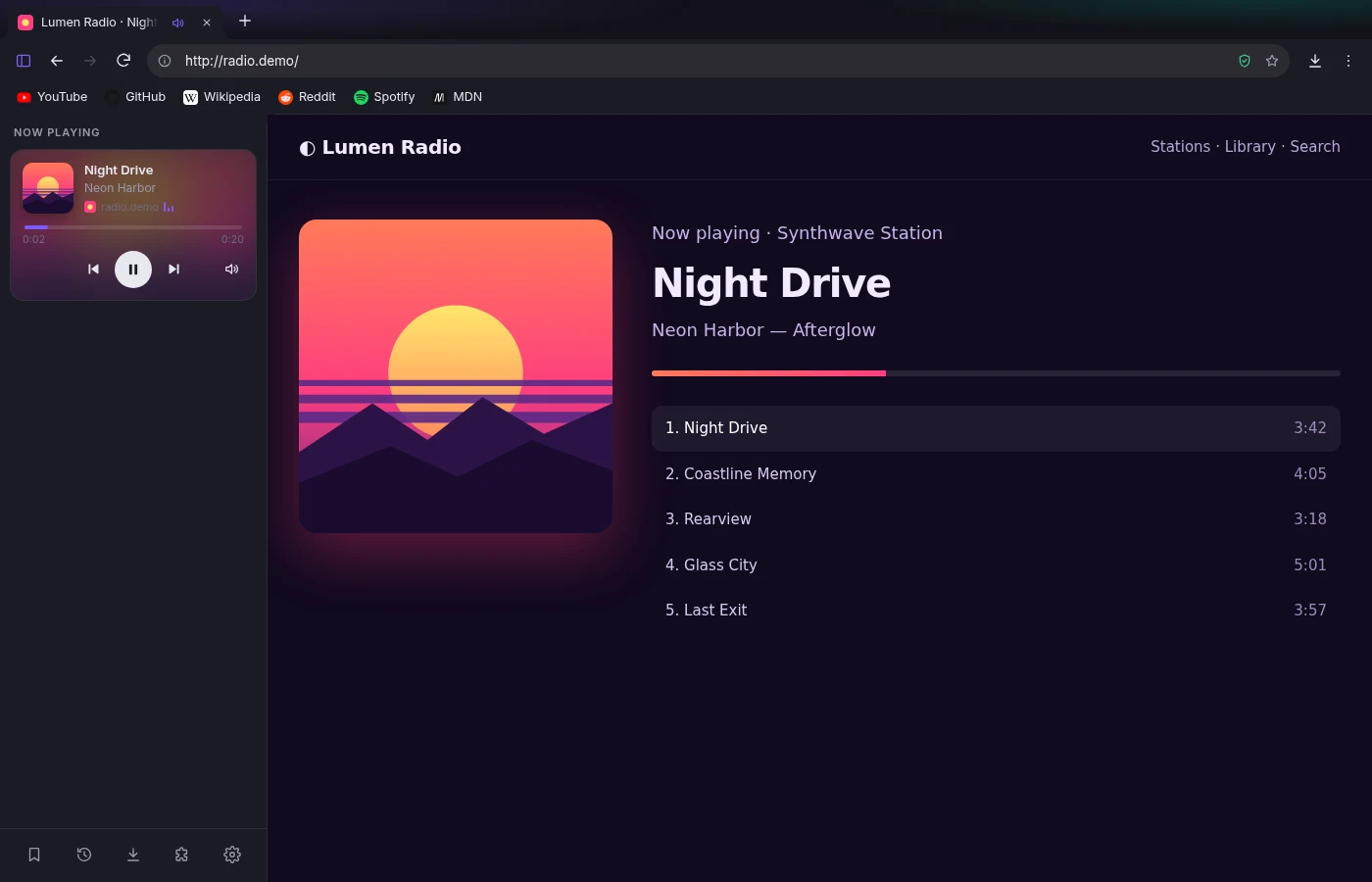
Spotify, YouTube, SoundCloud or anything else playing in a tab shows up in the sidebar with artwork, a progress bar and play, pause and skip.
 externo
Download
externo
Download
New in 2.2 · profiles, sidebar apps, gaming and sync
Fast, private and yours to shape. Keep Discord, Spotify and Claude in the sidebar, give school and gaming their own profiles, and take all of it to any computer with an encrypted account.
Free · Windows 10 & 11 · No account needed

Spotify, YouTube, SoundCloud or anything else playing in a tab shows up in the sidebar with artwork, a progress bar and play, pause and skip.
Install straight from the Chrome Web Store with one click, or load your own unpacked extensions. Their buttons sit right next to the address bar.
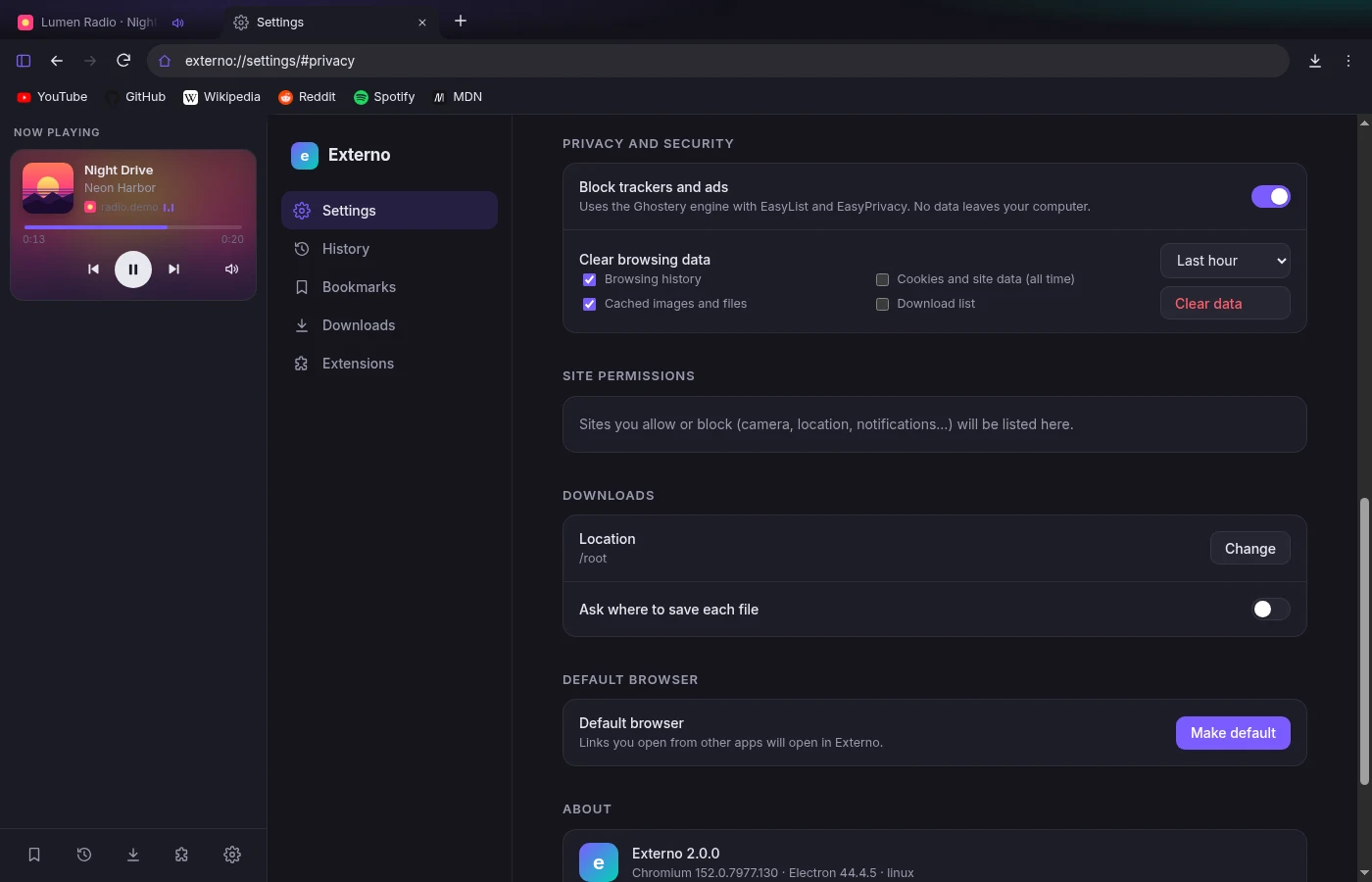
Ads and trackers are blocked before they load, using the same filter lists privacy extensions rely on. The shield shows how many were stopped.
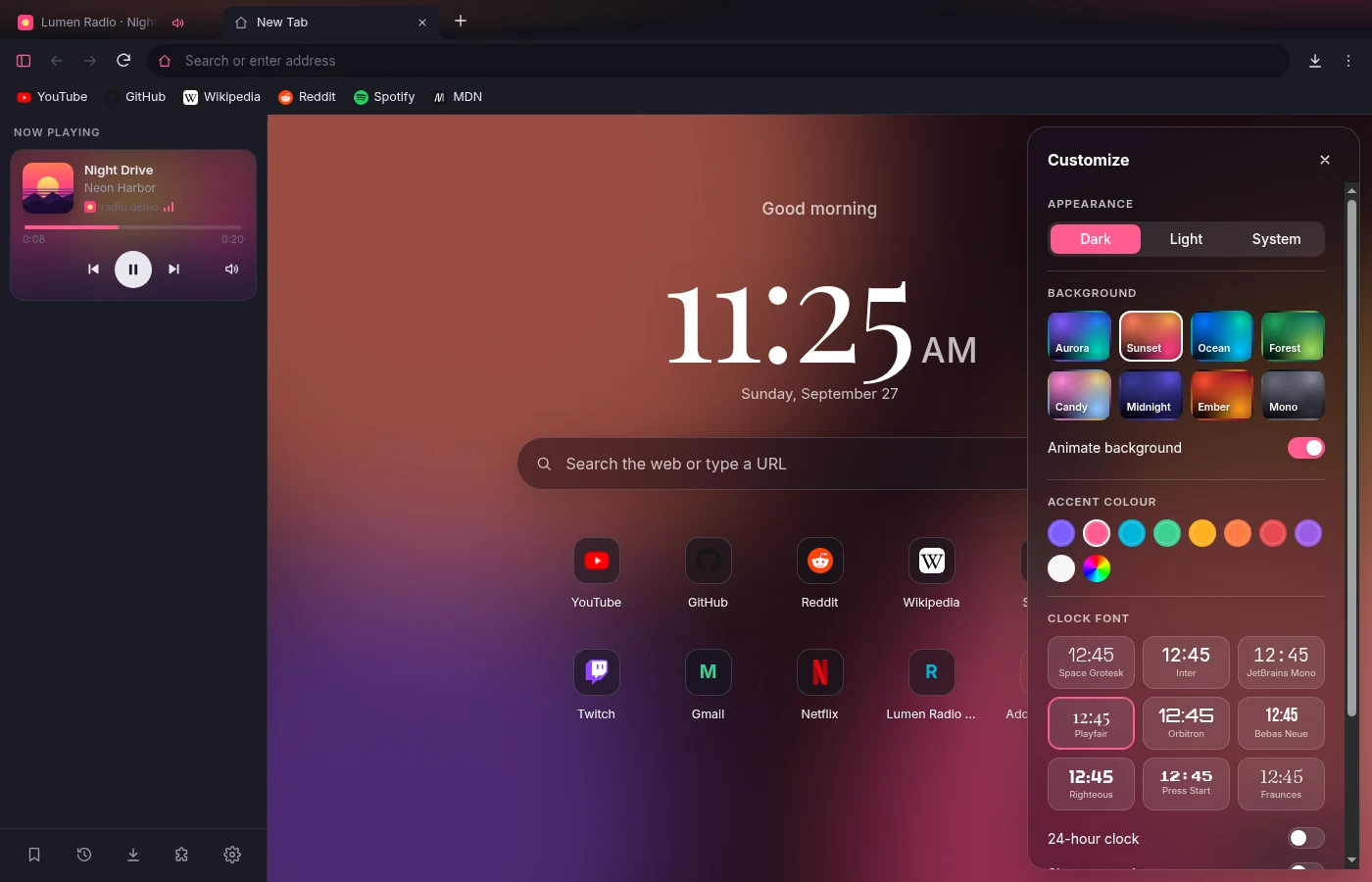
Eight animated gradient backgrounds, nine clock fonts, any accent colour, and dark or light themes. Every change takes effect straight away.
Sidebar apps
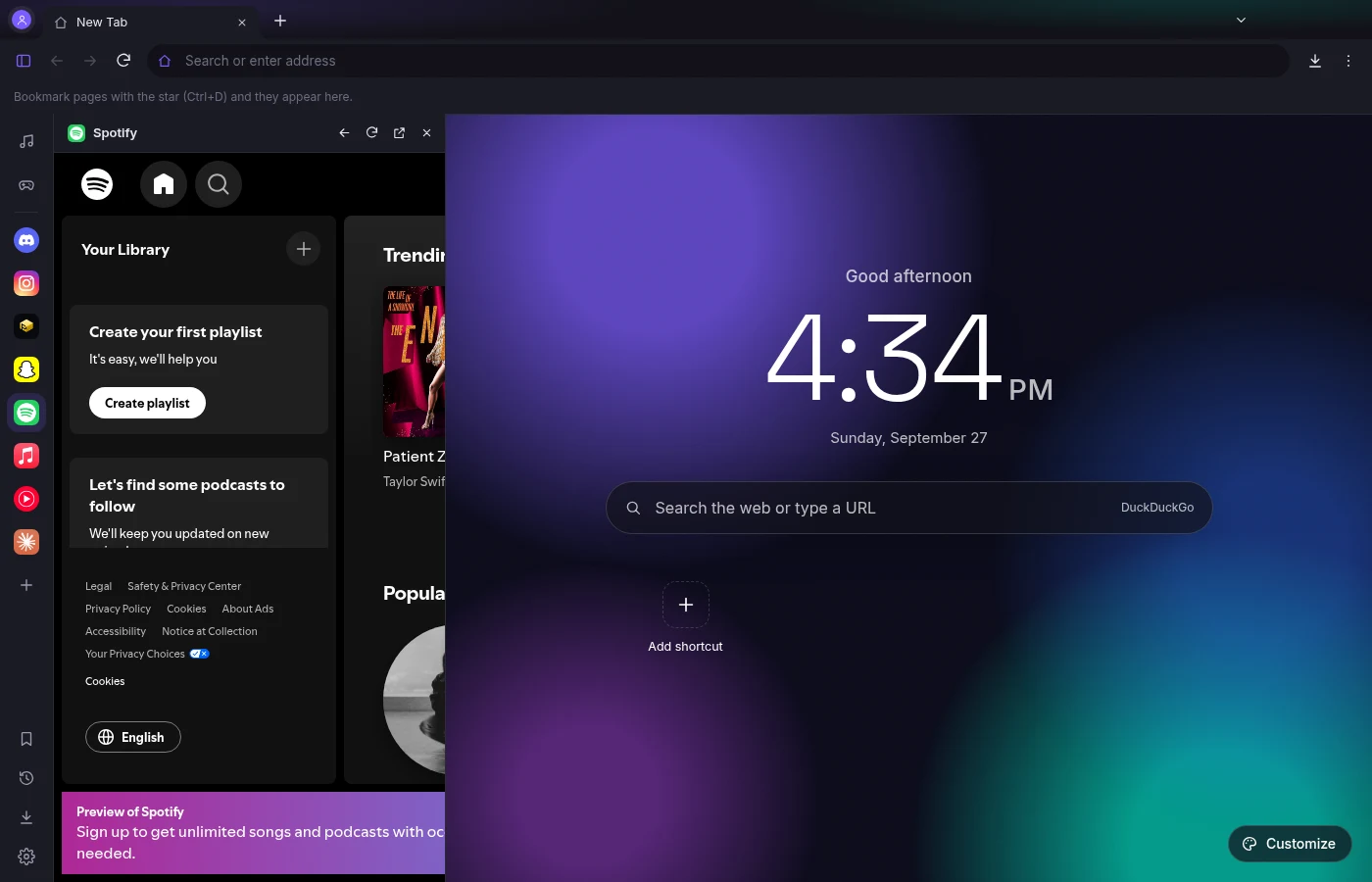
Discord, Instagram, Snapchat, PulsedConnect, Spotify, Apple Music, YouTube Music and Claude live in the sidebar next to whatever you’re doing. Sign in once and you’re signed in everywhere in that profile. Music you play there shows up in Now Playing with full controls.
Built for gaming
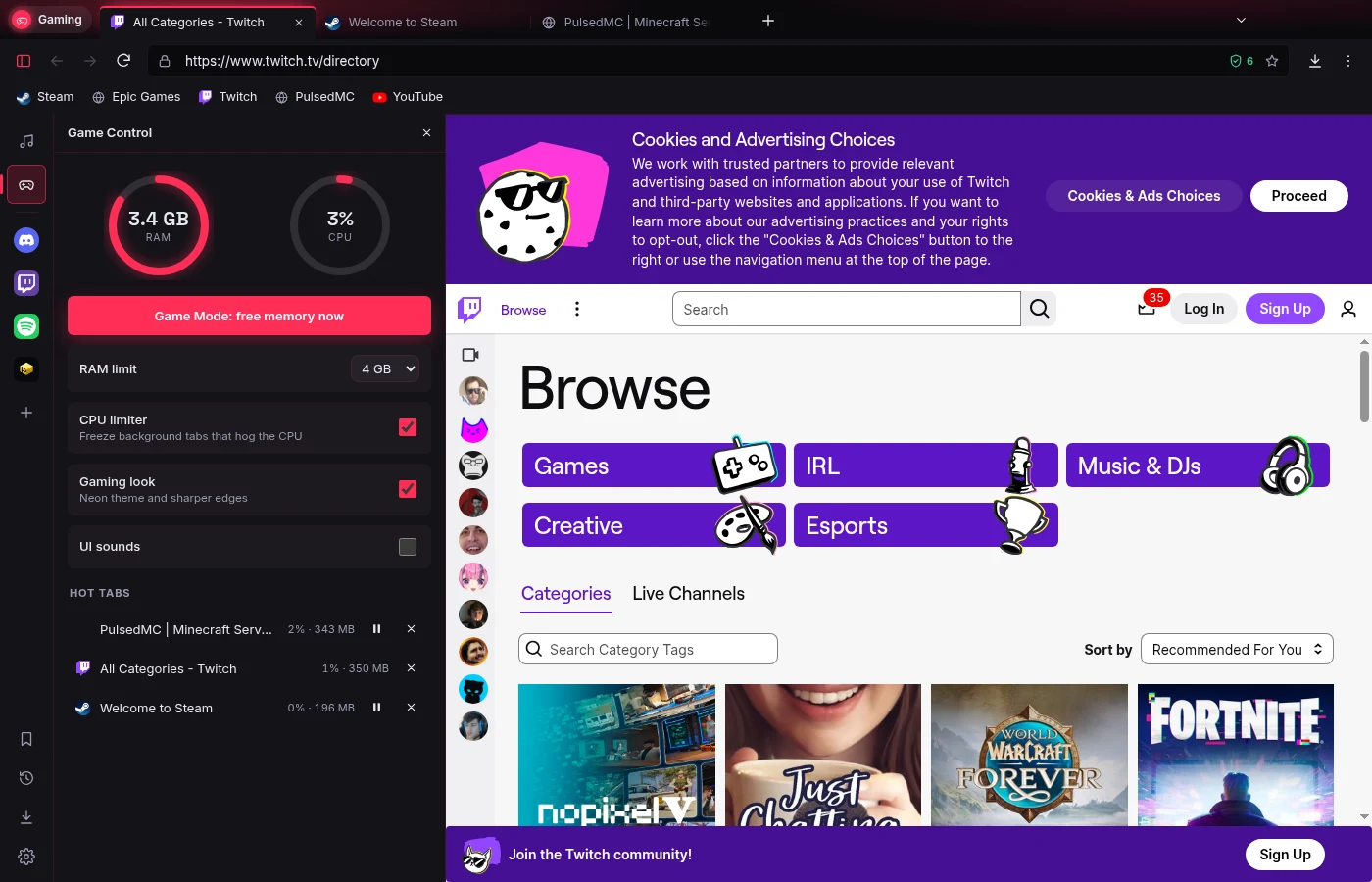
Game Control keeps Externo lean while you play. Set a RAM limit and old tabs go to sleep before it’s reached. The CPU limiter freezes background tabs that hog your processor. One click on Game Mode frees memory right before a match.
Profiles
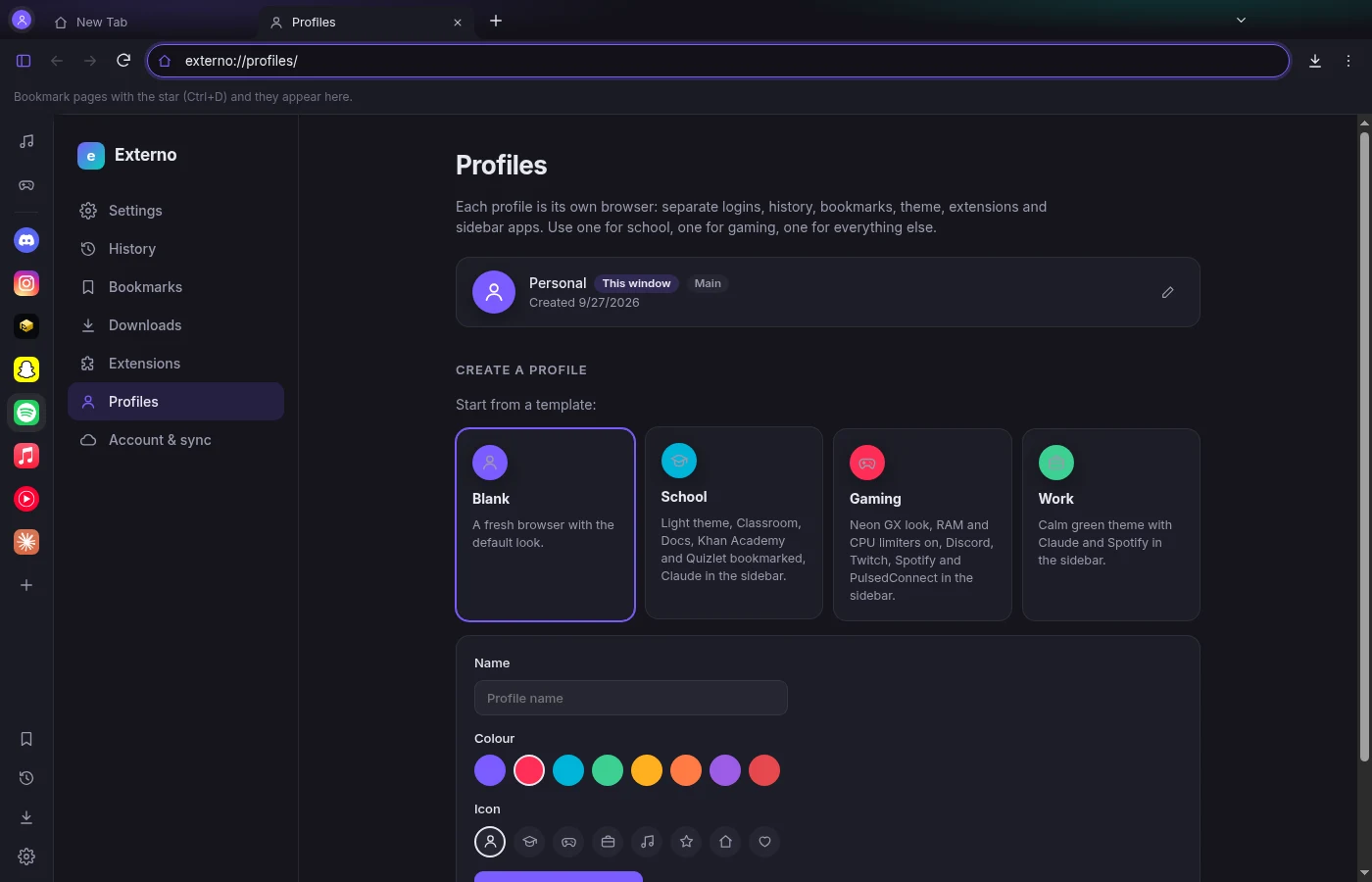
Each profile is its own browser with separate logins, history, bookmarks, theme, extensions and sidebar apps. Start from a School, Gaming or Work template and switch with the button in the corner.
Accounts and sync
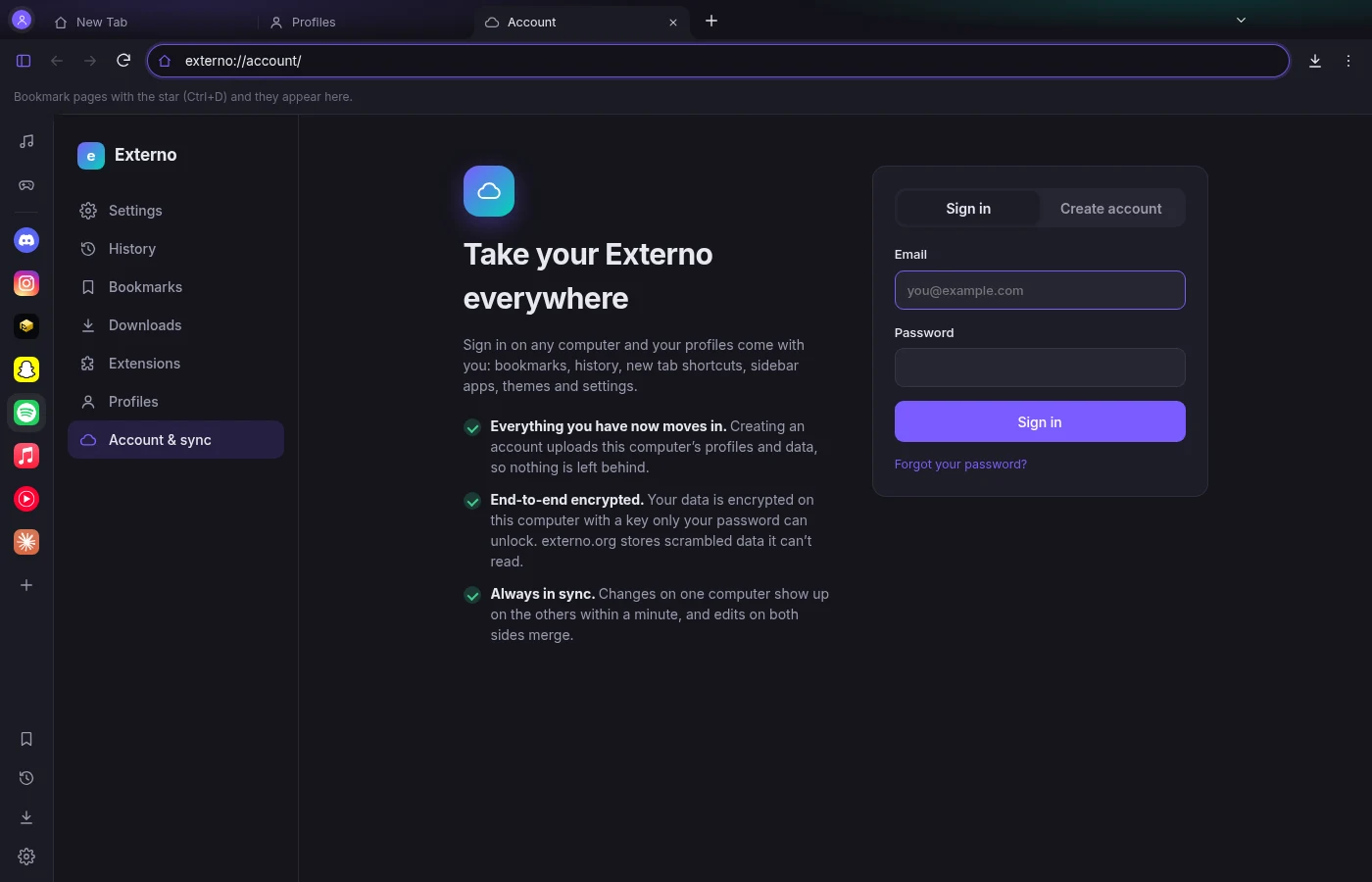
Create a free account and everything already on your computer moves into it: every profile, bookmark, shortcut, sidebar app and theme. Sign in on another computer and it’s all there. Changes made on either computer are merged, not overwritten.
Music widgets
Externo reads what each tab is playing, including title, artist and cover art, and gives you controls in the sidebar. Skip a song on YouTube Music while you’re reading something else. Click the card to jump straight to that tab.
Customize
Pick a slowly shifting gradient, a clock font from clean to pixel art, and an accent colour that carries through the whole browser. Add shortcuts to the sites you use. If you’d rather it was calm, turn the animation off.
Privacy
Externo never sends anything about you. You don’t need to sign in, there’s no usage tracking and there are no sponsored tiles on your new tab page. If you choose to create an account, what syncs is end-to-end encrypted. Your history, bookmarks and settings stay on your computer. On its own it only downloads blocklist updates and checks externo.org for new versions, and you can turn update checks off.
Yes, completely. There’s no paid tier, and no ads or sponsored content either.
Externo uses Chromium, the same engine as Chrome and Edge, so websites work the way you expect. Everything around the pages (tabs, sidebar, new tab page, settings) is Externo’s own.
Most will. Open the Chrome Web Store in Externo and click “Add to Chrome” as usual. Externo supports Manifest V3 extensions, including popups, toolbar buttons and context menu items.
Only on your computer, in your user profile folder. Externo has no servers that receive your browsing data. You can clear it any time from Settings.
Windows comes first. The code runs on macOS and Linux too, and builds for those will follow.
Yes. Externo encrypts everything on your computer before it’s uploaded, using a key that only your password can unlock. Our server stores scrambled data and a hash that proves who you are. It never sees your password or anything you sync. That’s also why we can’t reset your password: keep your recovery code safe.
No. Accounts are optional and only for syncing between computers. Everything works without one.
Yes. Externo includes the protected-media support that Spotify and Apple Music need, so they play in the sidebar and in normal tabs.
Yes, under the GPL-3.0 licence. The source is on GitHub.
A brand new browser: music widgets, Chrome extensions, tracker blocking, private windows and a customisable new tab page.
Version 2.3 for Windows 10 and 11 (64-bit).
Externo-Setup-2.3.0.exe · 107 MB · Already installed? It updates itself.
SHA-256 aca9643080dbedddf43ddfeacf27f538fc75752c1640157e249aeed015d56c9a


